Play from your phone
IFM installs like an app: icon on your home screen, full screen and alerts for your matches. No app store, free and takes almost no space.
IFM is already installed on this device.
In Safari: tap ios_share Share and then "Add to Home Screen". Your browser cannot install it from here: open its menu and choose «Install app» or «Add to Home Screen». On a computer, open internetfutbolmanager.com on your phone.
On a computer?
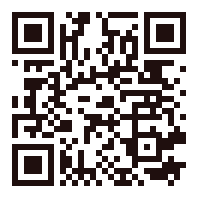
Scan the code with your phone camera to open this page there and follow the steps for your phone.
How to install it
Android (Chrome)
- Open internetfutbolmanager.com in Chrome.
- Tap «Download the app» or the ⋮ menu and «Install app».
- Confirm: the IFM icon appears on your home screen.
iPhone (Safari)
- Open internetfutbolmanager.com in Safari.
- Tap the Share button, the square with the arrow pointing up.
- Choose «Add to Home Screen» and then «Add».
Computer (Chrome or Edge)
- Open internetfutbolmanager.com in Chrome or Edge.
- Click «Download the app» or the install icon in the address bar.
- IFM opens in its own window, like any other program.
What you get
Icon on your phone
One tap to open it, no searching or typing the address.
Full screen
No browser bar: more room for your line-up and matches.
Match alerts
Your match result and anything urgent, even when IFM is closed (turn them on in «My games» or in your notification preferences).
Frequently asked questions
Is it a different app from the website?
No: it's the same website, installed on your device. Your account, your team and your games are the same on your phone and your computer.
Do I need to update it?
No. It updates itself every time you open it, just like the website.
Does it cost anything or take up much space?
It's free and takes up almost no space: it doesn't come from any app store.